Choosing Mac or PC: What’s the Difference? and Usage depends on your needs, budget, and preferred platform.
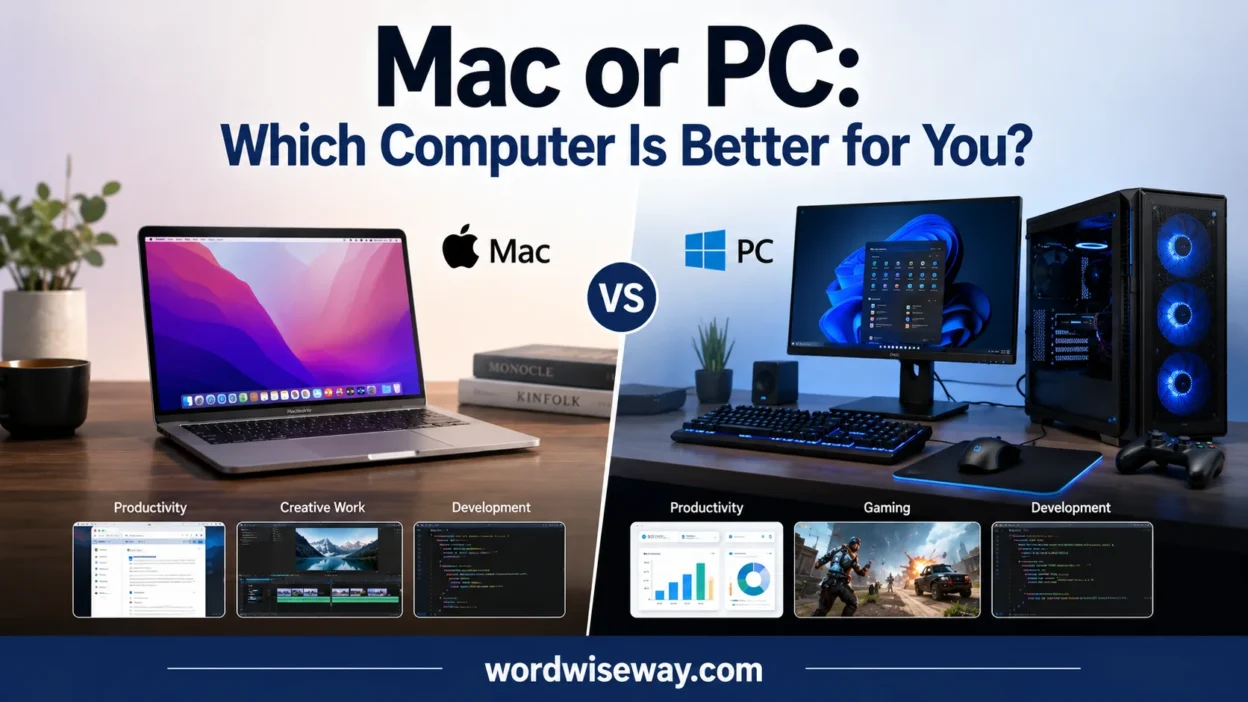
The Mac vs PC battle has lasted for decades, but the real difference comes from how each system fits your daily tasks. Apple offers Mac computers with macOS, while Windows PCs run Windows. This Mac vs Windows comparison is a common question because both operating systems provide different experiences. In 2026, new processors and AI-powered features make the choice even more interesting.
For users buying a new computer for work, gaming, or school, the choice depends on their needs. Macs offer premium design, optimized software, and efficient performance, while PCs provide broader hardware choices, stronger gaming support, and customization options. Consider software compatibility, flexibility, pricing, and everyday usage before choosing.
This practical approach helps you compare both options, understand their unique benefits, and make an informed choice.
Quick Answer
Choose a Mac if you value Apple’s hardware-software integration, macOS, strong battery life on compatible laptops, creative workflows, and seamless connections with devices such as an iPhone or iPad.
Choose a PC if you want broader hardware choices, more budget options, extensive gaming support, Windows-specific software, or the ability to customize and upgrade a desktop.
| Category | Mac | PC |
| Operating system | macOS | Windows |
| Hardware variety | Limited to Apple | Very broad |
| Budget choices | More limited | Excellent |
| Gaming | Improving | Stronger overall |
| Customization | Limited | Extensive on many desktops |
| Apple ecosystem | Excellent | Limited compared with Mac |
| Windows-only software | Not native | Excellent compatibility |
| Creative work | Excellent | Excellent |
| Programming | Excellent | Excellent |
| Security | Strong built-in protections | Strong built-in protections |
| Hardware upgrades | Limited on many modern Macs | Often better on desktops |
| Best for | Apple users, creators, productivity | Gamers, builders, budget buyers, Windows users |
There isn’t a universal winner. The right platform is the one that creates fewer obstacles in your everyday work.
What Is the Difference Between a Mac and a PC?
The first important distinction is simple. A Mac is a computer made by Apple that runs macOS. A PC, in this comparison, usually means a Windows computer made by companies such as Dell, Lenovo, HP, ASUS, Acer, Microsoft, or others.
That difference creates two very different ecosystems.
Apple controls both the hardware and operating system of its Macs. Windows follows a different model. Microsoft develops Windows while many manufacturers build the computers that run it.
That gives Windows users an enormous hardware menu. You can buy a basic laptop for everyday tasks, a thin premium notebook, a powerful workstation, or a desktop built around replaceable components.
Apple offers fewer configurations. That narrower range can make shopping simpler, although it also limits your choices.
Mac Uses macOS
macOS provides the software environment found on Apple’s Mac computers. It includes tools such as Finder, Spotlight, Safari, system settings, and Apple’s built-in productivity applications.
The operating system also has a Unix-based foundation. That matters to developers because many command-line tools and development workflows fit naturally into the environment.
Modern Macs also use Apple silicon rather than the Intel processors found in older Mac generations. In 2026, Apple’s Mac lineup includes M5-based systems. For example, the 2026 MacBook Air uses the M5 chip with a 10-core CPU and up to a 10-core GPU. It starts with 16GB of unified memory and 512GB of storage.
PCs Offer Windows and More Hardware Choices
Windows PCs cover a much wider hardware spectrum.
You can choose between different processors, graphics chips, screen types, memory capacities, storage options, cooling systems, and physical designs. That flexibility is one of the biggest advantages of the PC platform.
Windows 11 also has defined hardware requirements. Microsoft’s current requirements include a compatible 64-bit processor with at least two cores, 4GB of RAM, 64GB of storage, UEFI Secure Boot capability, and TPM 2.0.
In other words, “PC” doesn’t describe one computer. It describes a huge family of computers.
Hardware and Performance
Performance comparisons become useful only when you consider the actual workload.
A computer used for web browsing doesn’t need the same hardware as one rendering 4K video or running demanding 3D applications. That’s why saying one platform is simply “faster” doesn’t tell the whole story.
Apple’s current M5 MacBook Air, for example, combines CPU, GPU, neural accelerators, media engines, and unified memory in one system. Apple’s 13-inch model supports 16GB, 24GB, or 32GB of unified memory and up to 4TB of SSD storage.
Windows PCs take a different route. Depending on the model, you can pair a processor with a dedicated graphics card, larger cooling system, replaceable memory, and multiple storage drives.
Performance for Everyday Tasks
For everyday work, both platforms can be extremely capable.
Typical tasks include:
- Web browsing
- Word processing
- Spreadsheets
- Video calls
- Online learning
You don’t need an expensive workstation for these jobs.
- Streaming
- Photo management
- Light programming
A well-configured MacBook Air can handle ordinary productivity with ease. A similarly capable Windows laptop can do the same. At this level, software preference and hardware features often matter more than raw benchmark numbers.
Battery Life
Battery life can become a major factor if you carry your laptop to school, work, or a library.
Apple’s 2026 MacBook Air specifications list up to 18 hours of video streaming and up to 15 hours of wireless web use under Apple’s testing conditions. Actual battery life varies with configuration and workload.
Windows laptops vary much more because manufacturers use different processors, displays, batteries, and power-management systems.
That variety cuts both ways. You can find excellent battery life on Windows, but you need to compare individual models rather than assuming every PC behaves alike.
Mac or PC for Software Compatibility
Software compatibility can settle the argument faster than any benchmark.
Most mainstream applications now support both platforms. Microsoft Office, major browsers, cloud-storage services, communication apps, and many creative applications work across macOS and Windows.
The trouble begins with specialized software.
If your school, employer, or course requires a Windows-only application, buying a Mac without checking compatibility first can create unnecessary headaches. The same principle applies in reverse when a workflow depends on macOS-specific tools.
Before buying, make a short list of the software you actually use.
Check these first:
- School applications
- Work software
- Programming tools
- Creative applications
- Printer software
- Specialized professional programs
- Games
- Required browser extensions
- Accessories that depend on specific drivers
This five-minute check can save you from an expensive mistake.
Mac vs. PC for Gaming
For gaming, PC is generally the stronger choice.
Windows has a much broader gaming ecosystem because developers commonly target Windows and because the platform supports a huge range of graphics hardware.
Windows 11 also supports gaming technologies such as DirectStorage and Auto HDR on compatible hardware. Microsoft’s documentation notes that DirectStorage requires an NVMe SSD and a compatible DirectX 12 graphics processor.
Microsoft also provides Auto HDR for compatible games and displays. The feature can improve the color range and brightness of supported older SDR games.
Are Macs Good for Gaming?
Mac gaming has improved considerably.
Apple continues to develop its Metal graphics technology and gaming tools. Its 2026 developer materials highlight Metal 4.1, MetalFX improvements, and tools intended to make game development and porting easier.
Still, improved technology doesn’t erase the platform’s game-availability gap.
If gaming represents a major part of your computer use, Windows remains the safer choice because it offers more games, more graphics hardware, and more gaming-focused systems.
If you rarely play demanding games, the difference becomes much less important.
Mac or PC for Students
Students have a more complicated decision because their needs vary dramatically.
A student studying writing or general business may work happily on either platform. Someone studying a field that requires Windows-specific software may have a very different experience.
Why Students Might Prefer a Mac
A Mac can make sense if you:
- Already use an iPhone or iPad.
- Want strong laptop battery life.
- Prefer macOS.
- Need creative software.
- Want a lightweight laptop.
- Plan to develop for Apple’s platforms.
The 2026 MacBook Air, for example, offers 13.6-inch and 15.3-inch versions with M5 processors and up to 18 hours of stated video-streaming battery life.
Why Students Might Prefer a PC
A PC may make more sense if you:
- Have a limited budget.
- Need Windows-only software.
- Want more screen-size options.
- Need a gaming machine.
- Want more hardware choices.
- Expect to upgrade a desktop later.
For students, software requirements should come before brand preference. A shiny laptop won’t rescue you from incompatible coursework software.
Mac vs. PC for Work and Business
Both platforms can handle modern office work well.
Documents, spreadsheets, presentations, email, browsers, meetings, project-management tools, and cloud services generally work across both systems.
However, business environments often standardize around Windows. That can influence application support, device management, peripherals, and internal IT policies.
Macs can be excellent professional machines too. They’re especially attractive when the workflow involves creative applications, software development, or an existing Apple ecosystem.
The important question isn’t “Which computer looks more professional?”
Ask instead:
Which platform matches the software and systems your workplace already uses?
That question has considerably more bite.
Mac or PC for Programming
Programming is one category where both platforms deserve serious consideration.
A Mac provides a Unix-based environment with strong command-line support and Apple’s development ecosystem. It also becomes the natural choice when you need to build and test software for Apple’s platforms.
Windows provides excellent development support as well. Developers can work with Windows-native tools, cross-platform frameworks, virtual machines, containers, and Linux-oriented development environments.
Choose Based on Your Target Platform
If you plan to develop primarily for Apple’s platforms, a Mac is the straightforward choice.
If your development work targets Windows applications, enterprise systems, certain game-development workflows, or hardware that depends on Windows drivers, a PC may make more sense.
For web development and many cross-platform technologies, either platform can work extremely well.
Mac vs. PC for Creative Work
The old idea that “Macs are for creatives and PCs aren’t” has become too simplistic.
Modern Windows PCs can deliver powerful displays, dedicated graphics, large memory configurations, and professional creative software. Macs also provide strong performance for photo, video, audio, and design workflows.
The better question is which specific application and hardware configuration you need.
For example, video editing may benefit from strong media engines and fast storage. 3D work may depend heavily on GPU performance. Graphic design may place greater emphasis on display quality and color accuracy.
There is no single “creative computer.”
There are computers that fit particular creative workloads.
Security
Both platforms include serious security technologies.
Apple says its current platform-security architecture combines hardware, system, encryption, and app protections. On Apple silicon Macs, security capabilities are built into the chip architecture itself.
Windows 11 also includes multiple layers of security. Microsoft’s Windows Security features include Secure Boot, core isolation, TPM-based protections, encryption options, and other hardware-backed defenses.
Microsoft describes its approach as “secure by design and secure by default.”
Is a Mac More Secure Than a PC?
That claim needs more nuance.
Neither platform gives you permission to ignore basic security habits.
Keep the operating system updated. Use strong passwords. Avoid suspicious downloads. Turn on available security features. Protect important accounts with multifactor authentication.
Security isn’t a trophy that one operating system wins forever. Threats evolve. Defenses evolve with them.
Price and Value
Price is one of the biggest reasons buyers consider a PC.
Windows manufacturers offer computers across a huge range of prices. That makes it easier to find a system that fits a modest budget.
Macs occupy a more controlled product range. You get fewer configurations and fewer manufacturers competing within the same platform.
However, purchase price isn’t the only measure of value.
Compare:
- Processor performance
- RAM
- Storage
- Display quality
- Battery life
- Build quality
- Ports
- Graphics performance
- Warranty
- Repair options
- Upgrade potential
- Expected workload
A cheap computer that struggles with your daily work isn’t necessarily a bargain.
A Simple Value Example
Imagine two laptops cost similar amounts.
One gives you more RAM and a larger SSD. The other offers a better display, stronger battery life, and tighter integration with your phone.
Which one wins?
There isn’t enough information yet.
If you edit photos all day and carry the laptop everywhere, the second machine may be more useful. If you need Windows-only software and extra storage, the first may win.
Value depends on what you use.
Customization and Upgrades
This is one of the clearest PC advantages.
Many desktop PCs allow you to replace or upgrade components such as:
- RAM
- Storage
- Graphics cards
- Power supplies
- Cooling systems
- Expansion cards
You can even build a PC around your exact requirements.
Modern Macs generally offer far less user-upgrade flexibility. Memory and storage are often selected when you purchase the machine rather than replaced later.
That means you should think ahead when configuring a Mac.
If you expect your needs to grow, buying more memory or storage at the beginning can matter.
For a desktop enthusiast, though, the PC remains far more flexible.
Mac or PC: Ports and Connectivity
Ports are easy to overlook until you need one.
Modern laptops often rely heavily on USB-C. Apple’s 2026 MacBook Air includes two Thunderbolt 4 ports, a MagSafe charging port, and a 3.5mm headphone jack.
Windows laptops vary considerably.
Some provide USB-A, HDMI, Ethernet, SD card readers, and multiple USB-C ports. Others are nearly as minimalist as a MacBook.
So don’t ask, “Does a PC have more ports?”
Ask:
Does this specific computer have the ports you need?
If you regularly connect cameras, monitors, external drives, projectors, or wired networks, inspect the exact specification sheet before buying.
Mac vs. PC Ecosystem
This is where Macs can feel almost magical for people already invested in Apple devices.
Apple’s Continuity features include AirDrop, Handoff, Universal Clipboard, Sidecar, Continuity Camera, iPhone Mirroring, and other cross-device functions.
For example, Handoff lets you begin certain tasks on one Apple device and continue them on another. Continuity Camera can also turn a compatible iPhone into a Mac webcam.
That integration saves small amounts of friction repeatedly.
And small amounts add up.
A PC can also connect with phones and other devices through Microsoft’s ecosystem and third-party software. However, Windows isn’t built around one manufacturer’s entire hardware lineup in the same way macOS is.
If You Already Own an iPhone
A Mac becomes more attractive.
Apple’s current setup process can use a nearby iPhone or iPad to transfer certain settings and iCloud content to a new Mac.
That doesn’t make a PC a bad choice. It simply means the Mac can fit more naturally into an Apple-heavy setup.
Mac vs. PC: Design and Build Quality
Macs have a reputation for consistent industrial design because Apple controls the entire product line.
The current MacBook Air, for example, uses an aluminum enclosure and comes in 13-inch and 15-inch versions.
Windows is a different story.
You can find:
- Affordable plastic laptops
- Premium aluminum notebooks
- Business laptops
- Gaming laptops
- 2-in-1 devices
- Mini PCs
- Desktop towers
- Workstations
That variety is a major PC advantage.
It also means you need to research the individual model. A “PC” isn’t a single quality level.
Repairability and Longevity
Repairability matters because computers aren’t disposable calculators.
When components can be replaced or upgraded, you may be able to extend a machine’s useful life without replacing the entire computer.
Many desktop PCs offer strong upgrade paths. Laptops vary widely. Some Windows models provide replaceable components while others use highly integrated designs.
Modern Macs also use tightly integrated hardware. That approach can improve efficiency and compactness, but it generally gives users fewer opportunities for internal upgrades.
Before buying either platform, consider how long you expect to keep it.
A computer that works perfectly today might feel constrained several years later if your storage, memory, or performance needs increase.
Pros and Cons
Mac Pros
- Strong hardware-software integration
- Excellent Apple-device connectivity
- Strong battery life on many current laptops
- Excellent creative and productivity capabilities
- Unix-based development environment
- Robust built-in security architecture
- Consistent hardware design
Mac Cons
- Fewer hardware choices
- Limited internal upgradeability on many models
- Less gaming support than Windows
- Fewer low-cost configurations
- Windows-only applications can create compatibility problems
PC Pros
- Huge hardware selection
- More budget-friendly choices
- Strong gaming ecosystem
- Excellent hardware customization
- More upgrade options on many desktops
- Broad Windows software compatibility
- Wide range of laptop and desktop designs
PC Cons
- Quality varies considerably between models
- Hardware configurations can become confusing
- Some inexpensive systems make compromises in displays or build quality
- Premium gaming and workstation PCs can become very expensive
- Cross-device integration depends more heavily on the devices and software you choose
Mac or PC for Different Users
| Type of User | Better Starting Point | Why |
| Student | Mac or PC | Depends on budget and required software |
| Gamer | PC | Wider game and GPU support |
| Graphic designer | Mac or PC | Both support professional creative software |
| Video editor | Mac or PC | Workload and software matter |
| Programmer | Mac or PC | Depends on target platform |
| Office worker | Mac or PC | Workplace software decides |
| Budget buyer | PC | More low-cost options |
| Apple ecosystem user | Mac | Strong Continuity features |
| PC builder | PC | Better hardware customization |
| Windows software user | PC | Native Windows compatibility |
Case Study: A Student Choosing Between Mac and PC
Consider a student who needs a computer for research, documents, presentations, programming assignments, and video calls.
They already own an iPhone and want a portable laptop.
A MacBook Air could make sense because the student benefits from Apple’s ecosystem, portability, and long battery life. The current M5 MacBook Air starts with 16GB of unified memory and 512GB of storage.
Now change one detail.
Suppose the student’s university requires a Windows-only engineering application.
The decision changes immediately.
A Windows PC may now be the more practical choice because compatibility matters more than ecosystem convenience.
The lesson is simple: start with your workload, not the logo.
Common Myths
“Macs Never Get Malware”
That’s too absolute.
macOS has substantial security protections, but no general-purpose computer should be treated as invulnerable. Apple itself documents multiple layers of protection against malicious or tampered applications.
“PCs Are Always Cheaper”
Windows offers more affordable choices. That doesn’t mean every PC costs less than every Mac.
A premium Windows workstation can cost considerably more than a basic Mac.
“Macs Are Always Faster”
Performance depends on the model, workload, software, and configuration.
A Mac can be exceptionally fast for some workloads. A powerful Windows workstation can dominate other tasks.
“Every PC Can Be Upgraded”
Not every PC offers easy upgrades.
Desktop towers usually provide more flexibility than thin laptops. Always check the specific model.
“Macs Are Only for Designers”
Macs work well for students, developers, office users, creators, researchers, and general users.
Creative work is only one part of the story.
Which One Should You Buy?
The final choice becomes much easier when you match the computer to your priorities.
Choose a Mac if:
- You already use several Apple devices.
- You prefer macOS.
- You value a tightly integrated ecosystem.
- You want a portable productivity machine.
- You develop for Apple’s platforms.
- You work with creative applications.
- Gaming isn’t your main priority.
Choose a PC if:
- You want the widest hardware selection.
- You have a tighter budget.
- You need Windows-only applications.
- Gaming matters heavily.
- You want a customizable desktop.
- You expect to upgrade hardware later.
- You need specific graphics hardware.
The best Mac or PC isn’t the one with the loudest fan club. It’s the one that fits your software, budget, workload, and habits without forcing you to fight the machine every afternoon.
Read More: MacBook or iPad: Difference and Correct Usage
FAQs
1. What is the main difference between a Mac and a PC?
A Mac is made by Apple and runs macOS, while most PCs run Windows. The biggest differences involve the operating system, hardware choices, software, and overall user experience.
2. Is a Mac better than a PC for everyday use?
Neither is automatically better. Macs work well for users who prefer a streamlined experience, while PCs offer more hardware variety and customization.
3. Which is better for gaming, Mac or PC?
PCs generally offer broader gaming support. They provide access to more games, graphics hardware, and customization choices, making them a popular option for gamers.
4. Are Macs easier to use than Windows PCs?
Many users find macOS straightforward because Apple controls both the hardware and software. However, familiarity matters, so someone accustomed to Windows may prefer a PC.
5. Which is better for school, a Mac or PC?
Both can handle schoolwork, including documents, research, presentations, and online classes. Your choice should depend on the software your school requires and your budget.
6. Which is better for work, Mac or PC?
Both platforms can handle professional tasks. Windows PCs may offer wider business software compatibility, while Macs can provide a smooth experience for supported creative and productivity applications.
7. Do Macs and PCs use the same software?
Some popular programs work on both platforms, while others are designed for only one operating system. Cloud-based tools often reduce these compatibility differences.
8. Are Windows PCs more customizable than Macs?
Generally, yes. Windows gives users more choices when selecting hardware, components, accessories, and system settings. Mac computers offer fewer hardware configurations.
9. Which one should I buy, Mac or PC?
Start with your actual needs rather than brand loyalty. Consider your budget, preferred software, gaming plans, school or work requirements, and desired flexibility.
10. Is a Mac or PC better for the future?
Both platforms continue to evolve with faster processors and AI-powered features. The better long-term choice depends on which ecosystem and software fit your needs.
Conclusion
The Mac vs PC debate isn’t really about finding one universal winner. It’s about choosing a computer that matches your work, school, gaming, software, budget, and personal preferences. Macs offer Apple’s integrated experience, while PCs provide broader hardware options and greater flexibility.
Before buying, think about how you’ll actually use the computer. A flashy specification sheet means little if the machine doesn’t fit your daily routine. Compare the software, performance, pricing, compatibility, and features that matter most to you, then make your choice with confidence.

Evelyn Shaw has spent 14 years at Yale University’s English Department, leading students through close readings, genre studies, and interpretive methodologies. Her scholarly interests include Renaissance drama, gothic fiction, feminist literary criticism, and archival research and examining how texts generate meaning across historical periods. Evelyn has presented at major academic conferences and published essays in peer-reviewed journals, reflecting her passion for rigorous analysis and student-centered learning.