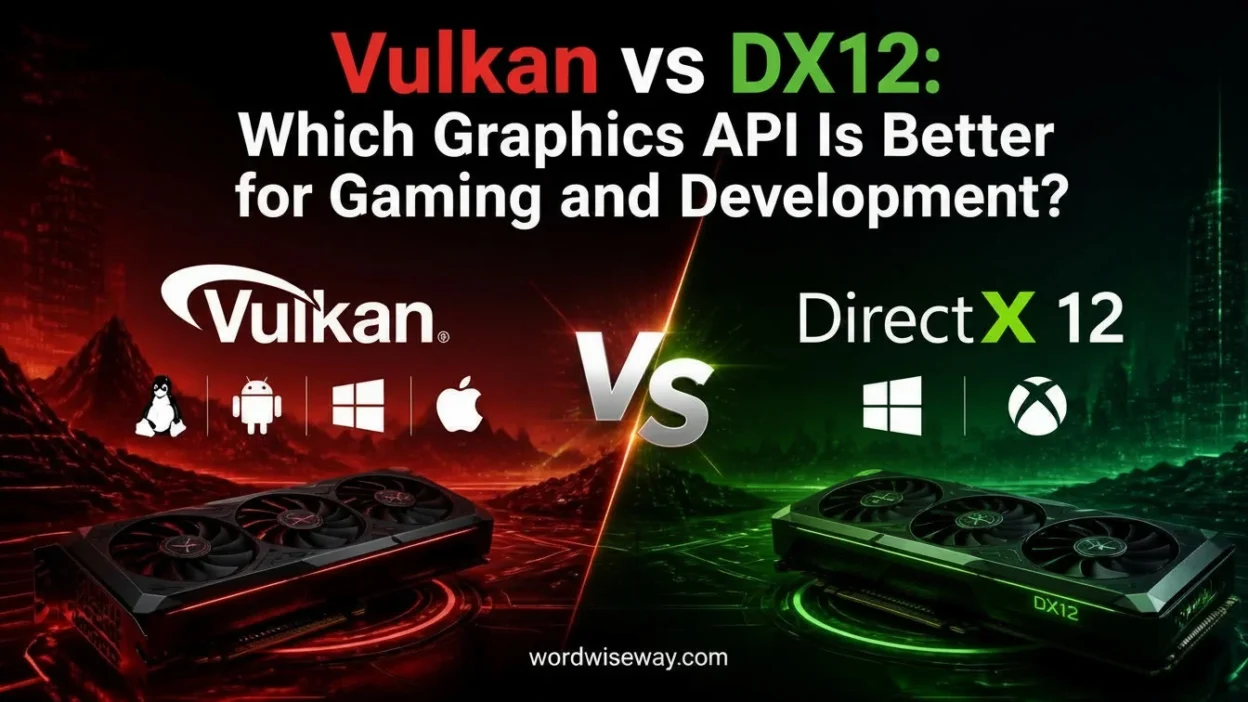
Vulkan vs DX12: Which Is Better for Gaming and Development? depends on your platform, hardware, and goals.
Vulkan is a cross-platform API maintained by the Khronos Group, while DX12 comes from Microsoft for Windows and Xbox. Both are modern graphics APIs that provide low-level control, reduce CPU overhead, and improve efficiency. They can influence frame rates, stability, and overall gaming experience.
For gamers, PC builders, and developers, neither API always performs faster. Vulkan offers broader platform support, while DX12 fits Windows-focused games and engines well. Your GPU, hardware, drivers, and software design can affect performance. Understanding these differences helps you make a practical choice for gaming or development.
Quick Answer:
Vulkan is usually the better choice when cross-platform support matters. DX12 is generally the stronger fit for Windows and Xbox-focused development.
For gaming, though, there isn’t a universal winner.
If a game offers both APIs, the better option depends on how that particular game implements each renderer on your hardware. One version may provide higher average FPS while the other delivers smoother frame times. A third possibility is that you’ll notice almost no difference.
Here’s the short version:
| Situation | Better Choice |
| Windows-focused game development | DX12 |
| Xbox development | DX12 |
| Windows + Linux support | Vulkan |
| Android graphics development | Vulkan |
| Cross-platform engine development | Vulkan |
| Microsoft graphics ecosystem | DX12 |
| Guaranteed higher FPS | Neither |
| Maximum low-level GPU control | Both |
The important distinction is that Vulkan is a cross-platform graphics and compute API maintained by the Khronos Group, while Direct3D 12 is Microsoft’s low-level 3D graphics API at the heart of DirectX.
What Is Vulkan?
Vulkan is a low-level, cross-platform graphics and compute API designed for modern GPUs. The Khronos Group released Vulkan 1.0 in February 2016 as an open, royalty-free standard.
Unlike a graphics API tied closely to one operating-system ecosystem, Vulkan aims to provide a common interface across different platforms and hardware vendors. Its official documentation describes it as a way to access modern GPUs efficiently across PCs, mobile devices, consoles, and embedded systems.
That portability is one of Vulkan’s defining characteristics.
Developers can use Vulkan for:
- 2D graphics
- 3D rendering
- GPU compute
- Ray tracing
- Virtual and augmented reality workloads
- Game engines
- Professional graphics applications
- Mobile applications
Vulkan also exposes explicit mechanisms for resources, synchronization, command submission, and memory management. That gives developers considerable control, but it comes with a price: the developer has to manage many things that older APIs handled more automatically.
The official Vulkan documentation currently lists the Vulkan 1.4.357 specification, generated in July 2026.
What Is DX12?
Direct3D 12 is Microsoft’s modern low-level 3D graphics API. It forms the core 3D graphics component of DirectX.
This distinction matters because people often use “DirectX 12” and “Direct3D 12” interchangeably. Technically, DirectX is the broader technology family, while Direct3D handles 3D graphics and GPU compute operations.
Microsoft designed Direct3D 12 to reduce CPU overhead and provide developers with more explicit control over GPU operations. The API uses concepts such as:
- Command queues
- Command lists
- Descriptor heaps and tables
- Pipeline state objects
- Explicit resource management
- Explicit synchronization
- Multithreaded command recording
This design allows developers to build rendering systems that scale efficiently across modern multicore CPUs.
Microsoft specifically notes that Direct3D 12 gives applications a lower level of hardware abstraction than previous Direct3D versions. Developers become responsible for tasks such as memory management while gaining mechanisms intended to reduce GPU and CPU overhead.
In other words, DX12 gives developers a powerful toolbox. It doesn’t automatically build the house.
Vulkan vs DX12: The Biggest Difference
The most important difference isn’t simply performance.
It’s platform and ecosystem strategy.
Vulkan was designed as a cross-platform industry standard. The Khronos Group describes it as a cross-platform API that can expose modern GPU capabilities across different environments.
DX12 sits inside Microsoft’s graphics ecosystem. Its natural territory includes Windows and Xbox development.
That creates a straightforward split:
Vulkan prioritizes portability.
DX12 prioritizes deep integration with Microsoft’s platforms.
Neither philosophy is inherently superior. The right choice depends on what developers need to ship.
Vulkan vs DX12 Performance
Performance is where most Vulkan vs DX12 discussions become unnecessarily dramatic.
You may see someone claim that Vulkan always delivers more FPS. Another person may insist that DX12 is faster on Windows. Both statements are too broad.
There is no universal FPS winner.
A graphics API provides the mechanisms through which an engine communicates with the GPU. The engine still determines how effectively it uses those mechanisms.
For example, suppose two games use Vulkan. One might have excellent multithreaded rendering and efficient resource management. The other might struggle with shader compilation or synchronization. Their performance can differ dramatically despite using the same API.
The same principle applies to DX12.
What Actually Influences Performance?
Several factors can change the outcome:
- CPU architecture
- GPU architecture
- Driver version
- Game engine
- Rendering pipeline
- Shader compilation
- Resource management
- Multithreading
- Resolution
- Graphics settings
- Ray-tracing workload
- Frame-generation technology
- Game-specific optimization
This explains why benchmark results shouldn’t become universal laws.
A benchmark measures one implementation under specific conditions. It doesn’t prove that the API itself always wins.
Vulkan vs DX12 and CPU Usage
Modern graphics APIs moved more responsibility from the driver toward the application.
That sounds technical, but the idea is fairly simple.
Imagine an office where an assistant prepares every document before the manager sees it. The manager has less work, but the assistant becomes a bottleneck.
Now imagine the manager’s team handles more of the preparation directly. The system can process more work in parallel, but the team needs better organization.
That’s broadly the trade-off modern low-level APIs introduce.
Both Vulkan and DX12 give developers greater control over command generation and synchronization. That can improve CPU efficiency when an engine divides rendering work effectively across multiple CPU cores. Microsoft specifically highlights improved multicore CPU scaling as one of DX12’s major advantages.
Vulkan follows a similar low-overhead philosophy and was designed with efficient multithreaded performance in mind.
The catch?
More control doesn’t guarantee better optimization.
Poor synchronization can waste the very CPU time the API was supposed to save.
Vulkan vs DX12 Memory Management
Memory management represents another major difference from older graphics APIs.
With low-level APIs, developers have greater responsibility for deciding how GPU resources should be created, organized, synchronized, and used.
These resources include:
- Textures
- Vertex buffers
- Index buffers
- Constant or uniform data
- Descriptor resources
- Render targets
- Acceleration structures
DX12 explicitly places memory-management responsibilities on the application. Microsoft describes this as part of its lower-level hardware abstraction model.
Vulkan also gives developers detailed control over device memory and resource binding.
This approach can produce predictable and efficient systems when handled correctly. It can also create bugs that higher-level APIs might have hidden.
For developers, that’s the bargain: more control in exchange for more responsibility.
Vulkan vs DX12 Multithreading
Multithreading is one area where both APIs share an important philosophy.
Modern CPUs have multiple cores. A graphics engine that performs most rendering preparation on a single thread can leave significant processing capacity unused.
Both Vulkan and DX12 provide mechanisms that allow engines to prepare GPU work efficiently across multiple CPU threads.
DX12 uses command lists that can be recorded and submitted through command queues. Microsoft designed this work-submission model partly to improve CPU efficiency.
Vulkan uses command buffers and queues within its own explicit execution model.
The exact performance depends on implementation. A poorly designed engine won’t suddenly become brilliant because it switched APIs.
Vulkan vs DX12 Shader Systems
Shaders are small programs that run on the GPU to perform tasks such as vertex processing, pixel shading, and other programmable operations.
The two ecosystems use different shader toolchains.
Vulkan and SPIR-V
Vulkan commonly uses SPIR-V as its intermediate representation for shaders.
SPIR-V creates a standardized intermediate format that fits Vulkan’s broader cross-platform philosophy.
Developers can use different shader languages and compilation workflows that eventually produce SPIR-V suitable for Vulkan.
DX12 and HLSL
DX12 is strongly associated with HLSL, Microsoft’s High-Level Shading Language.
Microsoft’s Direct3D 12 reference documentation states that programmable shaders for the API use HLSL.
For teams already working deeply within Microsoft’s graphics ecosystem, this can make the DX12 workflow particularly attractive.
The important point isn’t that one shader language magically produces better graphics. Shader quality depends on the code, algorithms, compiler behavior, hardware, and engine implementation.
Vulkan vs DX12 Ray Tracing
Modern GPUs can accelerate ray-tracing workloads through dedicated hardware. Both Vulkan and DX12 provide ways for developers to use these capabilities.
Vulkan introduced standardized ray-tracing extensions that integrate acceleration structures, ray-tracing pipelines, and ray queries into its ecosystem.
DX12 provides DirectX Raytracing, commonly abbreviated as DXR.
Microsoft’s current DX12 ray-tracing samples include tutorials and advanced examples for implementing DXR features. The samples require hardware and drivers supporting DirectX 12 Ultimate.
Interestingly, the Vulkan ray-tracing ecosystem continues to evolve. In July 2026, Khronos announced that Vulkan is deprecating host-side ray-tracing acceleration-structure build commands in favor of a device-address-based approach. Khronos said this direction aligns more closely with modern engine architecture, hardware trends, and DirectX Raytracing.
That update illustrates an important point: both APIs continue evolving around similar modern GPU workloads.
Platform Support
This is where Vulkan gains one of its clearest advantages.
Vulkan’s design targets multiple platforms rather than locking the API to one operating system. Khronos describes it as a cross-platform API capable of targeting desktop, mobile, and embedded environments.
DX12 has a much stronger Microsoft platform focus.
| Platform or Goal | Vulkan | DX12 |
| Windows | Yes | Yes |
| Linux | Yes | No native D3D12 API |
| Android | Yes | No |
| Xbox ecosystem | Not its primary native graphics API | Yes |
| Cross-platform engine | Excellent fit | More limited |
| Microsoft graphics stack | Not its primary ecosystem | Excellent fit |
This difference becomes decisive for studios building games for several operating systems.
A Windows-only project may have little reason to prioritize Vulkan’s portability. A game targeting Windows, Linux, and mobile platforms has a much stronger reason to consider it.
Vulkan vs DX12 for Game Developers
Choosing between the two APIs should start with the target platform, not a benchmark screenshot.
Choose Vulkan When Cross-Platform Support Matters
Vulkan makes particular sense when a project needs:
- Windows support
- Linux support
- Android support
- A cross-platform rendering architecture
- An open industry-standard API
- Strong portability across hardware vendors
Its design also makes it useful for engines that need a consistent low-level graphics abstraction across multiple operating systems.
Choose DX12 for Windows and Xbox-Focused Development
DX12 becomes especially attractive when:
- Windows is the primary PC platform.
- Xbox support matters.
- The team already uses Microsoft’s graphics tooling.
- HLSL is central to the rendering workflow.
- The engine already has mature D3D12 support.
Microsoft’s own documentation emphasizes Direct3D 12’s role in taking advantage of modern GPU graphics and compute capabilities.
Why the Game Engine Matters More Than You Think
Here’s the part that often gets lost in Vulkan vs DX12 arguments.
The graphics API isn’t the entire renderer.
A modern game may contain:
Game logic → Engine → Rendering system → Graphics API → Driver → GPU
Changing the API only changes one layer of that chain.
If the renderer has inefficient resource management, excessive synchronization, poor shader handling, or weak multithreading, changing Vulkan to DX12 won’t magically repair everything.
This is why a game can perform better with Vulkan on one system and better with DX12 on another.
The API provides capabilities. The engine turns those capabilities into actual performance.
Vulkan vs DX12 for Gamers
If you’re a gamer rather than a graphics programmer, the decision becomes much simpler.
When a game offers both Vulkan and DX12, test them under the same conditions.
Compare:
- Average FPS
- 1% low FPS
- Frame-time consistency
- Stuttering
- Crashes
- Loading behavior
- Visual features
- GPU utilization
- CPU utilization
Don’t judge the renderer solely by average FPS.
For example, Renderer A might average 120 FPS while Renderer B averages 116 FPS. If Renderer B produces considerably smoother frame times, it may feel better during actual gameplay.
That difference matters because frame pacing affects perceived smoothness, not just the headline FPS number.
Vulkan vs DX12 and Stuttering
Stuttering often gets blamed on the graphics API.
That’s usually too simplistic.
Shader compilation, asset streaming, pipeline creation, CPU scheduling, driver behavior, and engine architecture can all contribute to stutter.
A DX12 game can stutter.
A Vulkan game can stutter.
Neither API has a magical “no stuttering” switch.
Shader compilation deserves particular attention. Modern games can use thousands of shader permutations, and managing those efficiently can become a substantial engineering challenge.
Therefore, if one renderer stutters more on your computer, that doesn’t prove the API is inherently worse. It shows that this implementation behaves differently on this system.
Developer Tools
Both ecosystems offer serious development and debugging capabilities.
Vulkan provides validation layers and a broad ecosystem of tools for checking API usage, profiling GPU workloads, and diagnosing rendering problems.
The Vulkan SDK and official documentation provide developers with specifications, samples, tutorials, validation resources, and related development material.
DX12 benefits from Microsoft’s integrated development ecosystem, including debugging layers, graphics tooling, documentation, samples, and shader-development tools.
Microsoft’s Direct3D 12 documentation includes dedicated references for the core API, debug layer, shaders, buffers, textures, and views.
For a developer, tooling can matter almost as much as the API itself.
A theoretically excellent API becomes less appealing when a team struggles to diagnose problems.
Learning Curve
Neither API qualifies as a gentle introduction to graphics programming.
You’ll encounter concepts such as:
- Command buffers or command lists
- Queues
- Synchronization
- Resource barriers or transitions
- Descriptor management
- Pipeline state
- GPU memory
- Shader compilation
- Resource lifetimes
- Multithreaded rendering
Vulkan can feel especially demanding because it exposes many details directly.
DX12 also expects developers to understand concepts that older APIs often managed behind the scenes.
The learning curve isn’t a flaw. It’s the cost of having fine-grained control over modern GPU hardware.
If you’re learning graphics programming, understanding these concepts matters more than memorizing which API is supposedly faster.
Advantages and Disadvantages
Vulkan Advantages
- Cross-platform by design
- Strong support across different hardware vendors
- Suitable for desktop and mobile environments
- Explicit control over GPU resources
- Strong multithreaded rendering model
- Open industry standard
- Supports modern graphics and compute workloads
Vulkan Disadvantages
- Steep learning curve
- Developers must manage many details explicitly
- Synchronization can become complicated
- Platform-specific integration still requires engineering
- Debugging sophisticated rendering problems can be demanding
DX12 Advantages
- Excellent Windows integration
- Strong Xbox ecosystem alignment
- Low-level GPU control
- Explicit resource and synchronization model
- Strong Microsoft tooling
- Mature HLSL workflow
- Designed for modern multicore CPU and GPU architectures
DX12 Disadvantages
- More limited native platform reach
- Significant development complexity
- Developers carry substantial responsibility for memory and synchronization
- Porting to non-Microsoft platforms requires another graphics solution or compatibility layer
Real-World Decision Guide
Imagine three development teams.
Team A is building a Windows and Xbox game. Its existing engine uses HLSL and Microsoft’s development tools. DX12 is the natural candidate.
Team B wants the same rendering technology across Windows, Linux, and Android. Vulkan’s portability suddenly becomes much more valuable.
Team C is optimizing a PC game that already supports both APIs. The team should benchmark both implementations rather than declaring a winner before testing.
These aren’t theoretical distinctions. They’re practical engineering decisions.
Common Myths
“Vulkan Always Gives More FPS”
No.
Vulkan can deliver excellent performance, but the final result depends on the implementation, hardware, drivers, and workload.
“DX12 Always Runs Better on Windows”
Not necessarily.
DX12 has strong Windows integration, but a well-optimized Vulkan renderer can also perform extremely well on Windows.
“DX12 Has Better Graphics”
The API doesn’t determine the artistic quality of a game.
Textures, lighting, geometry, shaders, post-processing, ray tracing, and engine technology determine what you see.
“Low-Level Means Automatically Faster”
Low-level APIs provide more control.
Control creates the possibility of better optimization. It doesn’t guarantee it.
“Vulkan and DX12 Are Completely Different”
They have different APIs, ecosystems, terminology, and platform strategies. However, both pursue similar goals: efficient access to modern GPU capabilities with reduced driver overhead and greater application control.
Which One Is Better?
There isn’t one answer that survives every scenario.
Vulkan is the stronger choice for portability. Its cross-platform architecture makes it particularly valuable when developers need to target several operating systems and device categories.
DX12 is the stronger choice for Microsoft-focused development. Windows and Xbox projects can benefit from its close relationship with Microsoft’s graphics ecosystem and tooling.
For gamers, the answer becomes even more practical.
If a game offers both APIs, use the one that performs better on your specific system. Check FPS, frame times, stuttering, stability, and visual features rather than trusting a blanket internet claim.
Final Comparison
| Category | Vulkan | DX12 |
| Cross-platform support | Excellent | Limited |
| Windows development | Excellent | Excellent |
| Linux development | Excellent | Not native |
| Android development | Excellent | Not native |
| Xbox development | Not the primary choice | Excellent |
| Low-level GPU control | Yes | Yes |
| Multithreaded rendering | Strong | Strong |
| Explicit resource management | Yes | Yes |
| Modern GPU features | Yes | Yes |
| Ray tracing | Yes | Yes |
| Universal FPS winner | No | No |
| Learning curve | Steep | Steep |
| Best overall strength | Portability | Microsoft ecosystem |
Ultimately, the Vulkan vs DX12 debate isn’t about finding a champion with a bigger FPS crown. Both APIs give modern engines sophisticated control over GPU workloads. Vulkan stands out because of portability and its open ecosystem. DX12 stands out because of Microsoft’s platform integration and development stack.
For developers, the target platform and existing engine architecture should drive the decision. For gamers, real-world testing should settle it. When two renderers are available, the benchmark on your own machine is worth more than a thousand confident forum arguments.
Read More: NTFS vs exFAT: Which File System Is Better for Your Drive?
FAQs
Is Vulkan better than DX12 for gaming?
Not always. Vulkan can deliver excellent performance, especially on games designed around it, but DX12 can perform equally well or better depending on the game, GPU, drivers, and engine.
Does Vulkan give more FPS than DX12?
There’s no universal FPS winner. Frame rates depend on the game, graphics settings, CPU, GPU, drivers, and how well the developer optimized the API.
Is DX12 easier for game developers?
For developers targeting Windows and Xbox, DX12 can be a practical choice because it fits closely into Microsoft’s gaming ecosystem. Vulkan is more attractive when broader platform support matters.
Can Vulkan work on Windows?
Yes. Vulkan supports Windows as well as several other operating systems. Its cross-platform design makes it useful for developers who want their applications to reach different platforms.
Is Vulkan only for PC gaming?
No. Vulkan is a general-purpose graphics API used across different platforms and types of applications. It can support games, graphics software, and other GPU-intensive workloads.
Why do games offer both Vulkan and DX12?
Developers may provide both APIs because hardware, drivers, and operating systems can behave differently. Giving players a choice can also help with compatibility and performance.
Which API uses less CPU?
Both Vulkan and DX12 are designed to reduce CPU overhead and provide developers with greater control over hardware. The actual CPU benefit depends on the game’s engine and implementation.
Does Vulkan work with AMD and NVIDIA GPUs?
Yes. Vulkan supports GPUs from major manufacturers, including AMD and NVIDIA, provided the hardware and drivers support the required Vulkan features.
Should PC gamers always choose DX12?
No. Try the API recommended by the game’s developer first. If both options are available, testing Vulkan and DX12 can reveal which one gives your particular PC better stability or performance.
Which API is better for development?
It depends on the project. Vulkan is a strong option for cross-platform development, while DX12 makes sense for projects focused heavily on Windows and Xbox. The engine, target devices, team experience, and performance goals should guide the decision.
Conclusion
Vulkan and DX12 both give developers powerful ways to communicate with modern GPUs while reducing unnecessary CPU overhead. Neither deserves the permanent crown of “best.” A well-optimized game can perform brilliantly with either API, while a poorly optimized implementation can struggle regardless of the technology behind it.
For gamers, the smartest approach is practical rather than ideological. Consider your operating system, GPU, drivers, game engine, and stability requirements. Developers should choose according to their target platforms and project needs. Vulkan shines when cross-platform flexibility matters, while DX12 is especially compelling within the Windows and Xbox ecosystem.

Emma Smith has dedicated 14 years to Princeton University’s English Department, mentoring students in textual interpretation, literary movements, and critical frameworks. Her research explores Shakespearean drama, Victorian serial fiction, postcolonial narrative theory, and manuscript studies and probing how literary forms evolve across cultures and centuries. Emma has delivered lectures at international humanities congresses and published findings in distinguished academic journals, underscoring her commitment to scholarly depth and vibrant teaching.