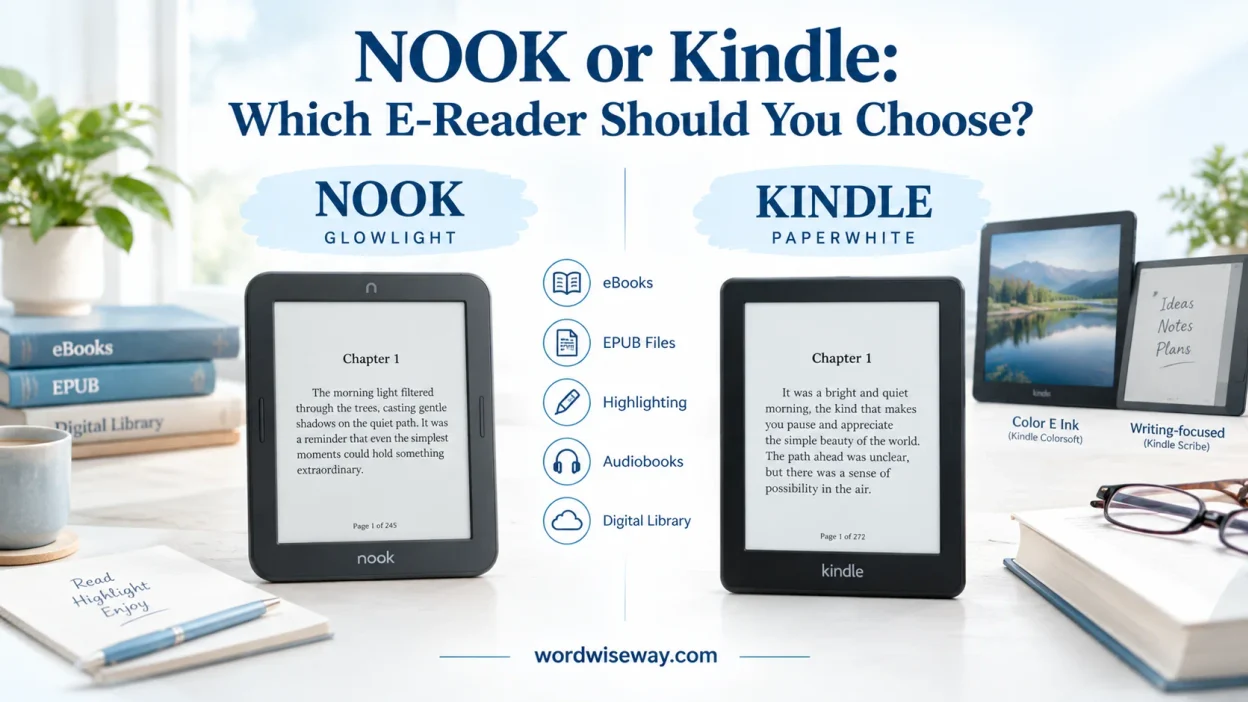
When comparing NOOK or Kindle: Which E-Reader Should You Choose?, your reading habits, ebooks, and preferred eReader experience matter. Both Nook and Kindle support books and digital books, while each device offers different options for buying.
Before choosing, consider battery life, screen quality, price, features, app support, bookstore access, and value for money. Amazon owns the Kindle eReader brand, while Barnes & Noble operates the Nook eReader line. These differences can shape your daily experience.
For readers, an ebook store, ecosystem, bookstore experience, or library reading may matter. A clean interface can simplify device usage. Different readers have different reading habits, while common mistakes include judging appearance alone. In the United States and around the world, personal priorities remain important.
Quick Answer:
If you already own a large collection of Kindle books, staying with Kindle usually makes the most practical sense because your purchased library, account, synchronization, and reading history remain within the same ecosystem.
If you already buy and read NOOK books through Barnes & Noble, a current NOOK device keeps that library within the same ecosystem.
For dedicated E Ink reading, the current lineups include several distinct choices. Kindle offers the basic Kindle, Paperwhite, Colorsoft, and Scribe families. NOOK offers the GlowLight 4, GlowLight 4e, and GlowLight 4 Plus, along with Android-based NOOK tablets. Barnes & Noble’s current device-status information lists the GlowLight 4, 4e, and 4 Plus as active devices receiving software updates. It also lists a 2026 NOOK Reading Tablet 8.7 as an active device.
For color reading, Kindle has a particularly clear advantage in hardware variety because the Colorsoft family brings color E Ink to the Kindle lineup. For handwriting and document annotation, the Kindle Scribe is designed specifically around reading and writing.
NOOK becomes more interesting if you prefer Barnes & Noble’s ecosystem, want physical page-turn buttons on a dedicated e-reader, or want an Android-based NOOK tablet rather than only an E Ink reader.
The important question isn’t simply “Which brand is better?” It’s “Which ecosystem and device fit the way you actually read?”
NOOK vs. Kindle at a Glance
| Feature | NOOK | Kindle |
| Brand ecosystem | Barnes & Noble | Amazon |
| Dedicated E Ink readers | Yes | Yes |
| Color E Ink | Current NOOK lineup is primarily focused on black-and-white GlowLight readers | Yes, through Colorsoft |
| Large writing device | Not comparable to Scribe as a dedicated writing-focused E Ink product | Kindle Scribe |
| Physical page-turn buttons | Available on GlowLight 4 and related models | Depends on model, with most current models using touch |
| Waterproof E Ink option | GlowLight 4 Plus has IPX7 | Selected Kindle models are waterproof |
| Ebooks | NOOK/Barnes & Noble ecosystem | Kindle/Amazon ecosystem |
| Audiobooks | B&N Audiobooks on compatible devices and apps | Audiobooks supported on compatible Kindle devices/apps |
| EPUB personal documents | Device-dependent | EPUB can be sent through Amazon’s conversion system |
| PDF support | Available on compatible devices | Supported, with feature differences by device |
| Tablet options | Yes | Kindle focuses on dedicated reading hardware |
| Expandable storage | Available on some NOOK tablets | Current Kindle e-readers rely on internal storage |
| Handwriting | Device-dependent | Dedicated Scribe models |
| Software support | Varies considerably by model | Varies by generation |
| Older-device status | Several older models have been retired | Older Kindles have model-specific support periods |
The table reveals an important distinction: NOOK is both an e-reader family and a tablet-branded reading ecosystem, while Kindle’s current hardware strategy is much more centered on dedicated reading devices.
What Is NOOK?
NOOK is Barnes & Noble’s digital reading platform and device family. The lineup has changed substantially since the original NOOK launched. Today’s products aren’t simply updated versions of the early devices.
The modern NOOK range includes dedicated GlowLight E Ink readers and Android-based tablets sold under the NOOK name. Barnes & Noble’s current support documentation lists the GlowLight 4 Plus from 2023, GlowLight 4e from 2022, and GlowLight 4 from 2021 as active e-readers. It also lists newer Lenovo-based NOOK tablets, including the 2026 NOOK Reading Tablet 8.7.
Current NOOK E-Readers
NOOK GlowLight 4 is a compact dedicated E Ink reader designed for conventional ebook reading.
The NOOK GlowLight 4e takes a similar approach while serving as a more affordable member of the lineup.
The NOOK GlowLight 4 Plus moves into a larger 7.8-inch format and adds several features that make it more competitive with premium dedicated readers.
The GlowLight 4 Plus includes:
- 7.8-inch E Ink display
- 32GB internal storage
- Physical page-turn buttons
- IPX7 waterproofing
- Bluetooth connectivity
- 3.5mm headphone support
- B&N Audiobooks support
Barnes & Noble lists the GlowLight 4 Plus at $199.99 in its product documentation.
What Happened to Older NOOK Devices?
This matters if you’re shopping for a used NOOK.
Barnes & Noble discontinued services for several older devices in June 2024. The affected models include the original NOOK, NOOK Color, NOOK Tablet, NOOK HD, NOOK HD+, Simple Touch, Simple Touch with GlowLight, and the older GlowLight. Those devices can no longer purchase new content, register new accounts, or sign in through the discontinued device services. Previously downloaded content remains accessible on qualifying devices.
That’s a useful warning for bargain hunters. A cheap used NOOK isn’t automatically a bargain.
Before buying an older model, check its exact model number and support status.
What Is Kindle?
Kindle is Amazon’s dedicated digital reading ecosystem. Unlike the early Kindle lineup, which largely revolved around monochrome E Ink readers, today’s range covers several distinct reading styles.
Current Kindle families include the compact Kindle, Kindle Paperwhite, Kindle Colorsoft, and Kindle Scribe. Amazon’s current documentation also identifies recent generations and software-support dates for these devices.
Kindle Paperwhite
The 12th-generation Kindle Paperwhite uses a 7-inch display, 16GB of storage, waterproof construction, and up to 12 weeks of battery life under Amazon’s stated testing conditions.
The Paperwhite Signature Edition raises storage to 32GB and adds wireless charging and an auto-adjusting front light.
That makes the Paperwhite a useful middle ground between the smaller basic Kindle and larger specialist models.
Kindle Colorsoft
Colorsoft changed the Kindle equation by adding color E Ink.
The 7-inch Colorsoft display can show color book covers, illustrations, maps, photographs, and comics. It also supports multiple highlight colors. Amazon introduced a 16GB Colorsoft at $249.99 and a 32GB Signature Edition at $279.99.
The important detail is that Colorsoft isn’t simply a small tablet with an LCD screen. It uses color E Ink technology designed around the low-glare reading experience associated with dedicated e-readers.
Kindle Scribe
The Kindle Scribe occupies a different category altogether.
It combines a large E Ink reading display with handwriting tools, notebooks, document annotation, and a stylus. Amazon’s newer Scribe generation uses an 11-inch display and adds features aimed at people who want one device for reading and writing.
That distinction matters because comparing a Scribe directly with a small GlowLight reader isn’t an apples-to-apples exercise.
Display and Reading Experience
The display often determines whether you’ll love or tolerate an e-reader.
Both brands use E Ink on their dedicated reading devices. E Ink doesn’t behave like a conventional LCD or OLED phone screen. Instead, it reflects ambient light, which helps create a paper-like reading experience without the same type of bright backlight used by phones and tablets.
E Ink vs. LCD
Dedicated E Ink readers generally make more sense for long reading sessions.
A tablet can do far more. You can watch videos, browse the web, install apps, and display colorful documents. However, those capabilities come with a more active screen experience.
NOOK’s tablet lineup therefore shouldn’t be confused with its GlowLight readers. The NOOK GlowLight 4 Plus is an E Ink reader, while the NOOK Reading Tablet 8.7 is an Android-based tablet. Barnes & Noble lists both categories separately.
Screen Size Matters
A smaller display makes a reader compact and easy to carry.
A larger display provides more room for:
- Larger text
- PDFs
- Diagrams
- Tables
- Comics
- Notes
- Wider page layouts
The 7.8-inch GlowLight 4 Plus therefore targets a different reader from a compact 6-inch device.
Kindle takes the same approach with its lineup. The basic Kindle emphasizes portability, the Paperwhite uses a larger 7-inch display, and the Scribe moves all the way to an 11-inch writing-oriented screen.
Bookstores and Content
Hardware gets the attention, but your digital library matters more.
Buying an e-reader usually means buying into a bookstore ecosystem. The device is only half of the equation.
The Kindle Store
Kindle connects directly to Amazon’s ebook ecosystem.
Amazon says its Kindle ecosystem provides access to millions of titles. The company also offers Kindle Unlimited, a subscription program that provides access to participating Kindle ebooks for a monthly fee. Kindle Unlimited doesn’t require Amazon Prime membership.
The distinction between buying and subscribing matters.
If you purchase an ebook, it becomes part of your purchased digital library under the applicable account and licensing terms. Kindle Unlimited works differently because access depends on the subscription and the book’s inclusion in the program.
The NOOK Store
NOOK connects to Barnes & Noble’s digital bookstore.
Purchased NOOK books remain associated with your Barnes & Noble account. Barnes & Noble also provides cloud-based management, allowing compatible NOOK devices and apps to retrieve archived books again when needed.
That creates an important practical rule:
Your existing library should influence your device choice.
If you’ve spent years building a Kindle library, changing to NOOK doesn’t magically turn those Kindle purchases into NOOK books. The same principle works in reverse.
EPUB and File Support
File compatibility becomes especially important when you read documents from outside the official bookstore.
Kindle supports several personal-document formats through its Send to Kindle system. Amazon currently lists EPUB, PDF, DOC, DOCX, TXT, RTF, HTML, JPG, JPEG, PNG, GIF, and BMP among supported file types for its transfer system.
EPUB support deserves a little clarification.
Kindle can accept EPUB through Send to Kindle, but Amazon processes the file for the Kindle environment. That isn’t the same thing as simply dropping an EPUB file onto the device and expecting every EPUB feature to behave identically.
Amazon also ended support for publishing new MOBI files in 2025 as it moved further toward EPUB and other modern formats.
What About DRM?
DRM can matter even more than file extension.
A DRM-protected ebook may remain tied to the store ecosystem that sold it. A DRM-free ebook has more flexibility.
Amazon introduced a notable change in January 2026: verified purchasers can download EPUB and PDF files for eligible DRM-free Kindle books. Books borrowed through Kindle Unlimited don’t receive that same download option.
So the word “EPUB” alone doesn’t tell you whether a book can move freely between ecosystems. DRM and licensing matter.
NOOK vs. Kindle for Library Books
Library borrowing can be excellent, but compatibility depends on the library system, country, lending platform, and device.
Don’t assume that every ebook offered by your local library works on every e-reader.
Before buying, check:
- Which digital lending service your library uses.
- Whether your country supports Kindle lending for that service.
- Whether the specific NOOK model supports the required format.
- Whether the book has restrictions on the borrowing platform.
- Whether you need an app, computer, or dedicated reader for the transfer.
This is one area where a five-minute compatibility check can save you from an expensive headache.
NOOK or Kindle for PDFs and Textbooks
PDFs are where dedicated e-readers can expose their limitations.
A normal novel is usually reflowable. The text can adapt to different screen sizes and font settings.
A PDF often behaves more like a digital photograph of a page. If the original page is large, a small E Ink display may require zooming or awkward navigation.
Amazon itself distinguishes reflowable books from fixed-layout formats. Fixed layouts preserve the original page structure, which can make them less flexible on smaller e-readers.
For PDF-heavy reading, consider:
- Screen size
- Zoom controls
- Landscape orientation
- Text reflow
- Annotation
- Page navigation
- Document complexity
A large 10- or 11-inch device can make academic documents considerably easier to handle than a compact six-inch reader.
Kindle Scribe vs. NOOK for Note-Taking
This is one of the clearest hardware differences.
Kindle Scribe was designed to combine reading and writing. It provides a large display for handwritten notes, notebooks, and document work. Amazon also supports handwritten notes and other annotation features for compatible personal documents.
The distinction is important:
Highlighting isn’t the same as handwriting.
A conventional GlowLight reader can be perfectly capable for reading, highlighting, and basic annotations. A writing-focused device is built for something more extensive.
For example, imagine reading a 300-page study guide.
On a normal e-reader, you might highlight a paragraph and add a short text note.
On a Scribe, the experience is closer to writing on a digital sheet of paper.
That makes the Scribe particularly relevant to students, researchers, writers, and people who annotate heavily.
NOOK vs. Kindle for Audiobooks
Audiobook support isn’t identical across every device.
Barnes & Noble moved from the old NOOK Audiobooks platform to its B&N Audiobooks system in 2022. Compatible NOOK devices and apps can access that newer platform. The GlowLight 4 Plus supports B&N Audiobooks through Bluetooth or wired headphones.
Amazon similarly supports audiobooks across compatible Kindle devices and apps.
The practical lesson is simple: check the exact model before assuming audiobook support.
A brand-wide statement can be misleading because an audiobook feature available on one device may not exist on another.
Battery Life
E Ink readers are famous for long battery life because they don’t continuously refresh the screen like smartphones.
Current Kindle figures illustrate the difference between product tiers.
Amazon states that the 12th-generation Paperwhite can last up to 12 weeks under its testing conditions. The Colorsoft models are rated for up to eight weeks.
Actual battery life depends on usage.
Heavy wireless activity, high lighting levels, frequent page refreshes, audiobook playback, and other functions can reduce runtime.
NOOK battery performance likewise varies by model, so comparing one NOOK tablet against a Kindle E Ink reader would produce a distorted result. Tablets naturally have different power demands.
Storage
Storage sounds like a technical footnote until your library grows.
For ordinary novels, even modest internal storage can hold a large collection. Books containing high-resolution images, comics, magazines, and audiobooks consume considerably more space.
The current Kindle lineup includes multiple storage configurations. The Paperwhite comes with 16GB, while the Signature Edition provides 32GB. Colorsoft is available in 16GB and 32GB configurations depending on model.
The NOOK GlowLight 4 Plus provides 32GB of internal storage.
Some NOOK tablets follow a different storage philosophy because they are Android-based tablets. Therefore, storage comparisons should always identify the exact model.
Waterproofing and Durability
Waterproofing can turn an ordinary e-reader into a much more flexible travel companion.
The NOOK GlowLight 4 Plus carries an IPX7 rating. Barnes & Noble says it can withstand immersion in fresh water for up to 30 minutes at a maximum depth of one meter.
Kindle also offers waterproof models.
The Kindle Paperwhite is waterproof, while the Colorsoft family includes waterproof construction as well.
Still, don’t treat a waterproof rating as an invitation to swim with your e-reader. Water resistance has limits, and ports need proper care after exposure.
NOOK vs. Kindle Apps
A major advantage of both ecosystems is that reading doesn’t have to happen on the dedicated device.
Barnes & Noble offers NOOK apps for iOS and Android. Amazon provides Kindle apps across iOS, Android, Mac, and PC.
That means your reading life can move between devices.
You might start a book on an e-reader, continue on a phone, and later return to the dedicated reader.
The exact synchronization features depend on the ecosystem and content type, but cloud-based libraries make digital reading much less tied to one physical device.
NOOK or Kindle Pricing
Prices change with promotions, generations, storage configurations, and bundles. Therefore, a launch price shouldn’t be treated as a permanent retail price.
Amazon’s current product information lists the 12th-generation Kindle Paperwhite from $159.99 at launch, with the Signature Edition at $199.99. The Colorsoft lineup was introduced at higher price points, while the basic Kindle occupies the lower end of the dedicated-reader range.
Barnes & Noble lists the GlowLight 4 Plus at $199.99 in its official product information.
A useful comparison should include more than the device.
Consider the full cost:
- E-reader
- Protective case
- Stylus if required
- Charging accessories
- Purchased ebooks
- Audiobooks
- Optional subscriptions
- Replacement costs
A $20 difference at checkout can become irrelevant if your preferred ecosystem costs more over several years.
NOOK vs. Kindle for Different Readers
Different readers need different hardware. Here’s where the comparison becomes much more useful.
| Reader type | Important considerations |
| Daily novel reader | E Ink quality, weight, lighting, battery |
| Student | PDFs, notes, highlighting, screen size |
| Comic reader | Color, screen size, image handling |
| Audiobook listener | Bluetooth, speakers/headphones, audiobook ecosystem |
| Heavy note-taker | Handwriting support and large display |
| Existing Kindle owner | Kindle library and account ecosystem |
| Existing NOOK owner | Barnes & Noble library and account ecosystem |
| Traveler | Weight, battery, waterproofing |
| Occasional reader | Price and portability |
| PDF-heavy reader | Large display and document handling |
For Someone Who Reads Novels Every Day
A dedicated E Ink reader is usually more relevant than a tablet.
Focus on weight, screen quality, front lighting, battery life, and comfortable page navigation.
You don’t need an enormous screen simply because one exists.
For Students
Students should look beyond ordinary ebook support.
PDF compatibility, handwriting, highlighting, document management, and screen size can matter more than bookstore selection.
A large writing-capable device may make more sense for extensive annotation than a compact reader.
For Color Readers
Color changes the equation.
Kindle Colorsoft provides color E Ink for book covers, illustrations, maps, photographs, comics, and color highlights.
If color is central to your reading habits, compare actual color-capable models rather than comparing the NOOK and Kindle brands as a whole.
For Travelers
Weight and battery life become the stars.
A small Kindle can disappear into a bag almost unnoticed. A larger NOOK or Kindle device gives you more screen space but adds physical bulk.
For frequent travel, the best choice may be the device you’ll actually carry.
Main Advantages and Limitations
| Category | NOOK | Kindle |
| Dedicated E Ink reading | Strong GlowLight lineup | Broad Kindle lineup |
| Color E Ink | Limited current selection compared with Kindle | Colorsoft family |
| Physical buttons | Available on GlowLight models | Less common on current models |
| Large writing device | No direct equivalent to Scribe in the current lineup | Scribe |
| Barnes & Noble library | Native ecosystem | Not native |
| Amazon Kindle library | Not native | Native ecosystem |
| Android tablet options | Yes | Kindle hardware focuses on reading |
| Waterproof E Ink | GlowLight 4 Plus | Paperwhite and Colorsoft models |
| Storage | 32GB on GlowLight 4 Plus | 16GB to 32GB on several current models |
| Handwriting | Device-dependent | Dedicated Scribe hardware |
| Older-device situation | Several retired models | Model-specific support |
| Audiobooks | B&N Audiobooks on compatible devices | Supported on compatible Kindle devices/apps |
Neither column tells the whole story.
A device can be technically impressive yet completely wrong for someone’s existing library. Conversely, a less expensive reader can be exactly right if it handles the books and formats that person actually uses.
What About Older NOOK and Kindle Models?
Used-device buyers need to be particularly careful.
The NOOK ecosystem has a documented history of retiring older hardware. Barnes & Noble says several devices released between 2009 and 2013 lost purchasing and account-registration functions in June 2024.
That doesn’t mean every older NOOK suddenly became useless. Barnes & Noble says previously downloaded content remains accessible on the affected devices, and users can still sideload certain third-party files.
However, a device that can display old books isn’t necessarily a fully supported modern e-reader.
Kindle also has different generations with different software-support periods. Amazon’s current security-update documentation provides specific support dates for newer models. For example, it lists the 12th-generation Paperwhite and first-generation Colorsoft through the end of 2030 under its current security-update schedule.
What to Check Before Buying Used
Check these details before handing over your money:
- Exact model name
- Generation
- Model number
- Software status
- Account-registration support
- Store access
- Battery condition
- Screen condition
- Charging port
- Waterproof rating
- Availability of replacement accessories
- Compatibility with your existing library
The model number matters far more than the word “Kindle” or “NOOK” printed on the device.
Is NOOK Better Than Kindle?
There isn’t one answer that applies to every reader.
NOOK makes particular sense when your digital library centers on Barnes & Noble, when you prefer the company’s ecosystem, or when a specific GlowLight feature fits your reading habits.
Kindle makes particular sense when your books already live in Amazon’s ecosystem or when you want access to newer Kindle categories such as Colorsoft or Scribe.
The useful comparison is therefore feature by feature.
For example: a reader who wants physical page-turn buttons might care far more about the GlowLight 4 Plus than someone who wants handwritten notes. A student who marks up documents extensively may care more about Scribe. Someone with thousands of existing Kindle purchases has a completely different starting point from someone beginning a digital library today.
Is Kindle Better for Reading Books Than NOOK?
Both can provide the core experience most ebook readers want: adjustable text, portable libraries, front lighting on relevant models, and long battery life.
The differences emerge around the ecosystem and specialized hardware.
Kindle currently offers a broader range of specialized E Ink products, including color and writing-focused devices. NOOK combines dedicated GlowLight readers with Android-based tablets and maintains the Barnes & Noble reading ecosystem.
For that reason, compare the specific models, not just the brands.
Can You Read Kindle Books on a NOOK?
Not every Kindle book can simply move to a NOOK.
DRM-protected Kindle purchases remain tied to Amazon’s supported ecosystem. DRM-free content is more flexible.
Amazon’s January 2026 change allows verified purchasers to download EPUB and PDF files for eligible DRM-free Kindle books. That creates additional flexibility for those particular titles.
The key word is eligible.
Don’t assume that every Kindle purchase can be downloaded as a standard EPUB.
Can You Read NOOK Books on a Kindle?
The same basic principle applies in the opposite direction.
A NOOK ebook purchased through Barnes & Noble may use digital-rights restrictions that prevent transferring the book to an unrelated e-reader.
If you already own a large NOOK collection, moving to Kindle deserves careful consideration before buying a new device.
Does NOOK Still Exist?
Yes.
NOOK remains an active Barnes & Noble product family. The company continues to support current GlowLight readers and NOOK tablets while retiring much older hardware.
Its current device-status documentation lists the GlowLight 4, GlowLight 4e, GlowLight 4 Plus, Lenovo NOOK tablets, and the 2026 NOOK Reading Tablet 8.7 as active products, although software-update status varies by model.
That’s an important distinction from saying that every old NOOK remains supported.
Is Kindle Still Being Updated?
Yes.
Amazon continues to maintain recent Kindle devices through software updates and security support. Current documentation lists recent Paperwhite, Colorsoft, and Scribe generations among supported products.
The Kindle ecosystem has also expanded beyond traditional monochrome E Ink through color displays and writing-focused hardware.
NOOK or Kindle: How to Make the Final Choice
The easiest way to choose is to start with your actual reading habits, not a generic specification sheet.
Choose Based on Your Existing Library
If most of your ebooks come from Amazon, Kindle integration is the obvious ecosystem consideration.
If most come from Barnes & Noble, NOOK keeps your existing library closer to home.
Choose Based on What You Read
For novels, screen comfort and portability matter most.
For PDFs, screen size becomes much more important.
color can change the experience for comics and illustrated books.
For handwritten notes, a writing-focused device deserves serious attention.
Choose Based on Hardware
Consider:
- Screen size
- Color
- Waterproofing
- Physical buttons
- Storage
- Weight
- Lighting
- Handwriting
- Audiobook support
A specification only matters if you’ll actually use it.
Choose Based on Long-Term Support
This is especially important when buying older hardware.
A used device may look attractive because it costs a fraction of a new model. Yet if its store and registration services have already been discontinued, the savings can come with a sizable trade-off.
Final Comparison:
The NOOK or Kindle decision isn’t really about choosing a logo. It’s about choosing an ecosystem, a screen, and a reading workflow that you’ll live with for years.
| If your priority is… | Focus on… |
| Existing Kindle library | Kindle |
| Existing NOOK library | NOOK |
| Color E Ink | Kindle Colorsoft |
| Handwritten notes | Kindle Scribe |
| Physical page-turn buttons | NOOK GlowLight models with buttons |
| Barnes & Noble ecosystem | NOOK |
| Amazon Kindle ecosystem | Kindle |
| Android tablet functionality | NOOK tablet models |
| Waterproof dedicated reading | Compare specific Paperwhite, Colorsoft, and GlowLight models |
| Used-device purchase | Exact model and support status |
| Heavy PDF use | Large-screen device |
| Everyday novels | Lightweight E Ink reader |
The most important lesson is simple: don’t compare NOOK and Kindle as if each were a single device.
They are ecosystems with multiple hardware categories. Kindle now includes compact readers, Paperwhite, Colorsoft, and Scribe products. NOOK combines GlowLight E Ink readers with Android-based tablets. Their libraries, file systems, software support, and purchasing platforms also differ.
Before buying, identify the books you already own, the formats you read most, and the features you’ll use every week. Then compare the exact models that match those needs.
That approach cuts through the marketing fog and leaves you with something much more useful: an e-reader that fits your reading life instead of forcing your reading life to fit the device.
Read More: Cremation or Burial: Which Option Fits Your Wishes, and Beliefs?
FAQs
Is Nook or Kindle better for everyday reading?
Both Nook and Kindle are designed for comfortable ebook reading. Your choice can depend on the books you want, the bookstore you prefer, and the features you use most often.
Can you read Kindle books on a Nook?
Kindle books generally use Amazon’s ebook ecosystem and may have format or DRM restrictions. A Nook isn’t designed to provide the same native Kindle library experience.
Can you read Nook books on a Kindle?
Nook books are tied to the Barnes & Noble ecosystem and may use restrictions that prevent direct reading on a Kindle. Check the specific title and supported formats before buying.
Which has better battery life, Nook or Kindle?
Battery life varies by model, screen settings, wireless use, and reading habits. Compare the specifications of the exact Nook and Kindle models you’re considering.
Does Nook have access to more books than Kindle?
Both platforms provide access to large ebook catalogs, but their available titles differ. Some books may appear on one bookstore while being unavailable on the other.
Can you borrow library ebooks on Nook and Kindle?
Library ebook support depends on your library, country, and the services it uses. Check your local library’s supported devices before choosing an eReader.
Is Kindle easier to use than Nook?
Ease of use depends on the person and the model. Both provide interfaces built around reading, but their menus, bookstores, settings, and ecosystems differ.
Which is cheaper, Nook or Kindle?
Prices vary by model, storage, promotions, and retailer. Compare the total cost of the device and the ebooks you expect to purchase rather than looking only at the starting price.
Do Nook and Kindle have the same screen quality?
Not necessarily. Screen size, resolution, lighting, contrast, and display technology can vary between models, so compare specific devices rather than the brands as a whole.
How should you choose between Nook and Kindle?
Start with your reading habits and consider bookstore access, library support, device features, price, battery life, and the ecosystem you already use. Those factors can narrow the options without relying on popularity alone.
Conclusion
Choosing between Nook and Kindle comes down to how you actually plan to read. Both eReaders give you a convenient way to carry digital books without filling a shelf, but their ecosystems, bookstores, features, and supported services differ. Think about the titles you read most, where you usually buy ebooks, and which features you’d use regularly.
Your budget matters, too, but the lowest price isn’t always the whole story. Look beyond the device itself and consider battery life, screen quality, library access, bookstore options, and long-term device usage. A reader who buys most books through Amazon may have different priorities from someone who already uses Barnes & Noble or relies on library reading.
Once you know what matters in your daily reading routine, the Nook versus Kindle decision becomes much easier to understand. Instead of choosing based on overall popularity or appearance, compare the specific models and services available to you. Your reading habits should be the starting point, because an eReader works best when it fits naturally into the way you read.

Amelia Sanders has spent 14 years in Harvard University’s English Department, helping students navigate literary analysis, interpretive theory, and narrative techniques. Her academic pursuits center on 18th-century British prose, romantic poetry, diasporic writing, and digital editing exploring how textual choices influence cultural perspectives. Amelia has spoken at major international meetings and contributed essays to respected academic volumes, demonstrating her dedication to thoughtful scholarship and effective teaching.